Contents
November 2026
 Updated
by Caroline Buckland
This document contains details of new and amended functionality included in the software update deployed on 9th November. We've rolled out the following enhancements this month.
- ITK Macro Update
- Accounts Receivable General Ledger Period for ITK
- New Company Copy Enable copy of configuration and data from production company
- Configurable purchase order routing for Purchasing Marketplace
- AFX map changes
- AFX Updates
- Portal Updates
ITK Macro Update
Details of the change
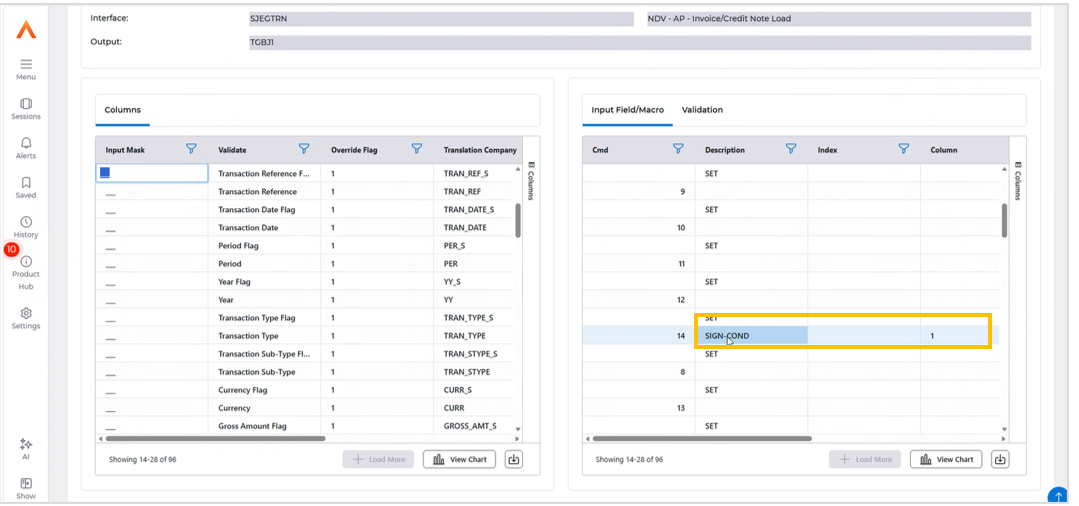
Sign Condition field
A new field, Sign Cond, has been added. It applies transformation rules to map fields and merge datasets into a single consolidated CSV and validates conformance to the Financials ITK standard. It allows invoices and credit notes to be handled within the same dataset.
Sign Cond evaluates the sign of a nominated source field and populates the output field with one of two user-defined argument values:
- Argument 1: the value written to the output field when the source is positive or zero. For example, 1 for an invoice type.
- Argument 2: the value written to the output field when the source is negative. For example, 2 for a credit note type.
This example below is for AP transactions.
After accessing the Record Mappings and field mappings the SIGN-COND field can be used.
Accounts Receivable GL Period for ITK – offline only
Details of the change
A new flag has been introduced enabling organisations to define how posting to closed periods is handled via take-ons. When set, transactions loaded through ITK or API which relate to a closed period will be set as 'In Error'. These transactions will then require online review to post into the closed period - this will be a named user who has permissions set to enable them to do so.
This relates to the changes to the SI module only.
To turn on this new function can be enabled in Sales Invoicing Company Controls.
Menu access:
Systems Admin>Combined Company Control
Select your company and use the Go>SI Controls action.
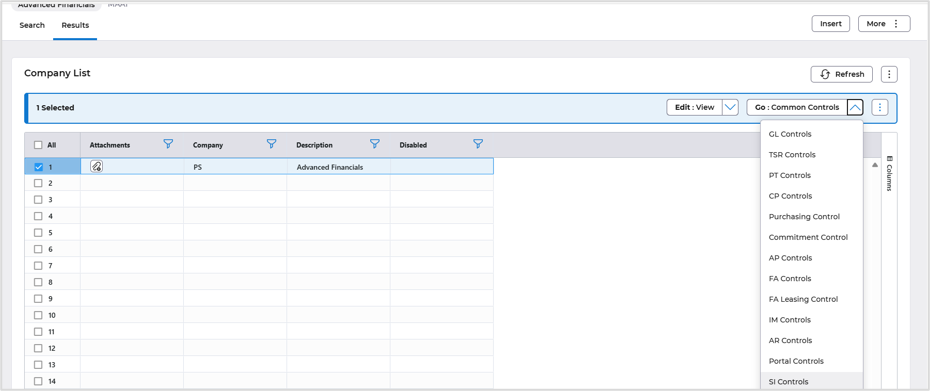
Select the Edit>Amend action.
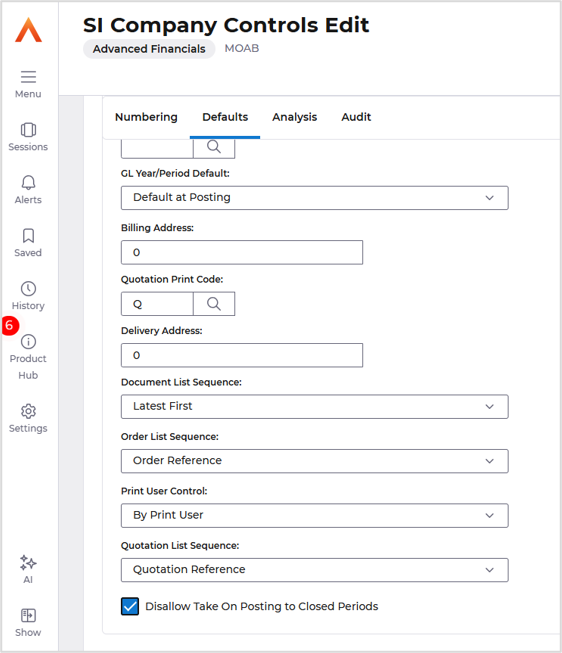
On the Defaults tab. Flag the ‘Disallow Take On Posting to Closed Periods’ field.
Save the change.
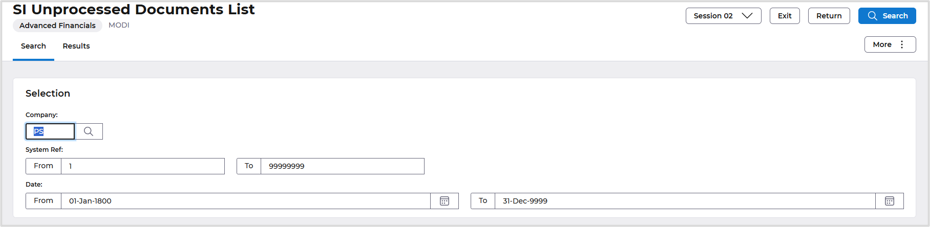
This new setting will disallow take-on postings to closed periods and will hold those transactions 'In Error' for authorised online review. This batches can be reviewed/amended or purged from the List Unprocessed Invoices/Credit Notes screen.
Menu access: Accounts Receivable>AR Processes>AR Data Entry> List Unprocessed Invoices/Credit Notes screen.
New Company Copy Enable copy of configuration and data from production company
Details of the change
The new Financials Company Copy makes a complete copy of a company's setup and data into another company. It is much quicker than the previous company copy process. A company can be copied directly within the same system or downloaded to a file and then uploaded into another system. Large files can be split into smaller parts, so they fit within file transfer limits, and the parts are checked and joined back together automatically when they are uploaded. You choose how much to copy. Setup only gives a clean starting point. Setup plus master data, balances and outstanding documents gives a working company. The full company, including history, can be used for testing or training. Every ledger and every element of the company is always included, so nothing is left behind.
Personal data is protected as part of every run. Where the data protection option is selected, personal details are anonymised in the copy, and email addresses can be disabled or replaced so the copied company cannot send emails to real customers or suppliers by mistake. Links to other companies, reference numbers, diary entries and financial calendars are adjusted so the new company is consistent and ready to use. You can copy into a new company or over an existing one. Each run is all-or-nothing: if it stops part way through, the target company is left exactly as it was. At the end of every run, a report is written showing what was done, how much data was copied and how long each stage took.
Configurable Purchase Order routing for Purchasing Invoices
Details of the change
This release introduces supplier-level Purchase Order routing configuration within Financials, enabling organisations to determine whether POs are transmitted back to the Purchasing module for catalogue management or sent directly to suppliers from Financials. This capability bridges the divide between centralised procurement governance and direct supplier ordering, giving finance teams fine-grained control over their procurement workflows without process fragmentation.
This metadata-driven approach integrates with Financials' existing configuration framework, enabling dynamic routing without code changes and supporting mixed procurement strategies within a single organisation.
This is designed for the OA Purchasing Marketplace only.
Setup
Access the Supplier file.
Menu access: Accounts Payable>AP Processes>Suppliers>Maintain Suppliers
Locate your supplier and use the amend action.
Access the Supplier Address format, followed by the Print Format tab.
Three new settings are available.
Override Marketplace – Print (just keeps it in the Spool and in Paperclip/V1 against the Order)
Override Marketplace – eMail attachment (eMail attachment" also emails it to the Supplier address email)
Override Marketplace – Concat File Mgmt (sends the file of purchase orders to files management)
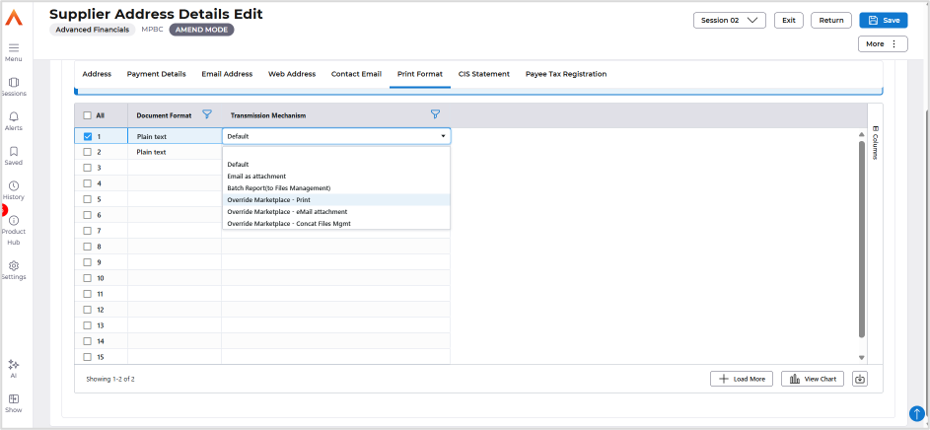
Enabling any of these new controls will override all existing marketplace settings and prevent the order from being sent back through the marketplace.
Refinement of Cash Allocation Screen (MBLA)
Details of the change
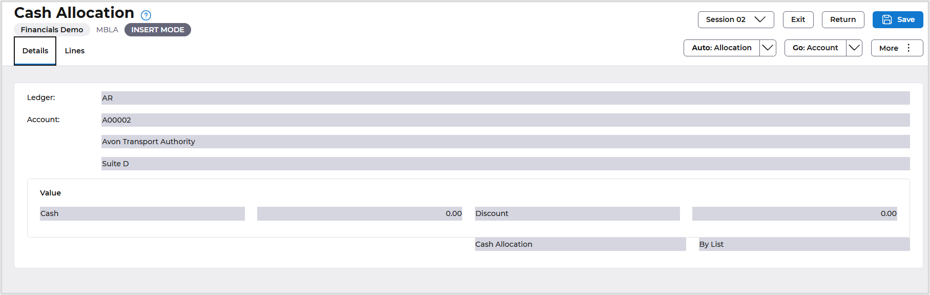
Move Values display to Lines tabs
Before
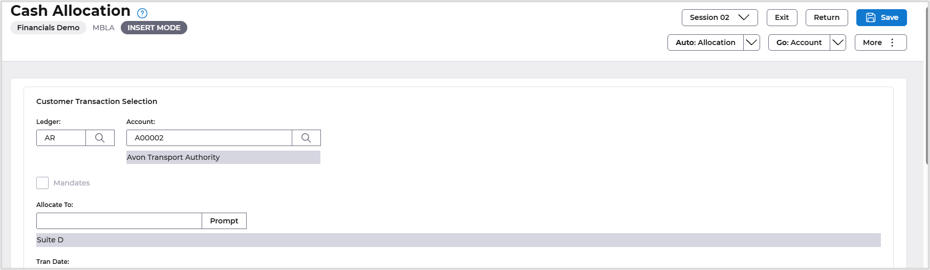
Currently, Values are displayed in a separate location or tab within the configuration copy interface. Users must navigate to a distinct Values section to view or manage value-related data during the copy operation. The address details have also been added to the header screen.
After
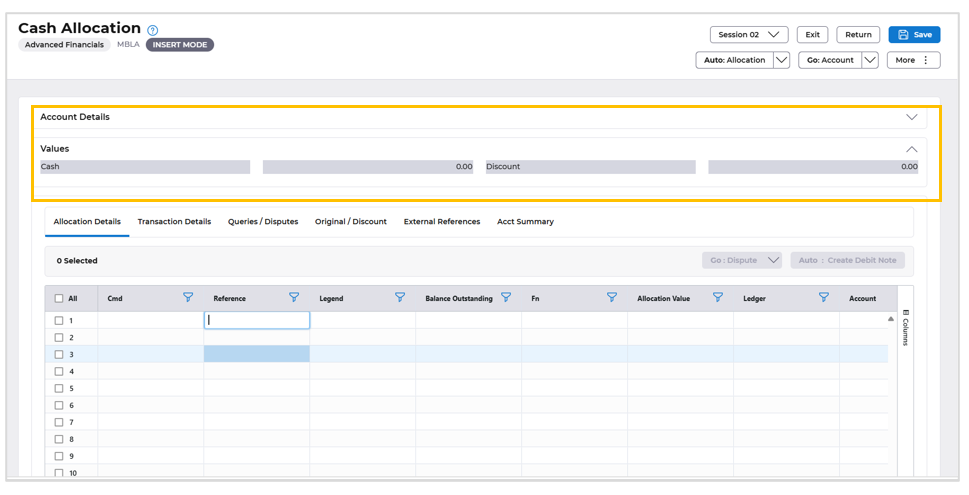
Values will be consolidated and displayed directly within the Lines tabs, improving the information hierarchy and reducing the need for users to switch between multiple tabs or sections when reviewing configuration and data being copied.
Current Screen
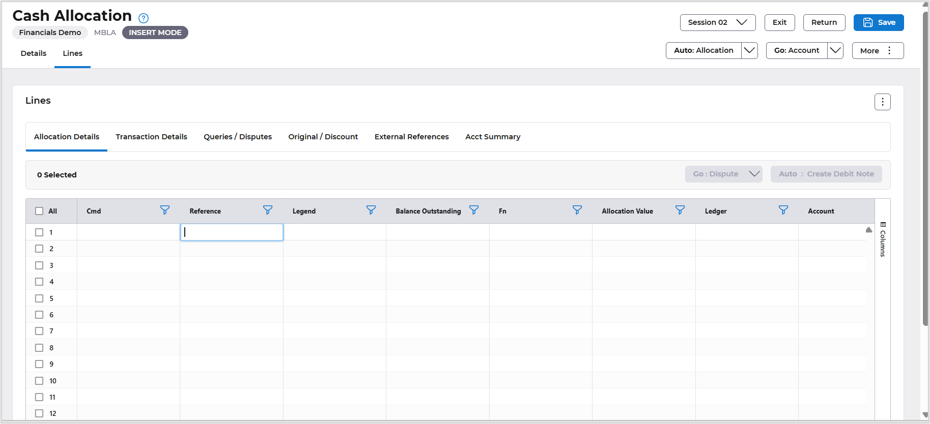
New screen
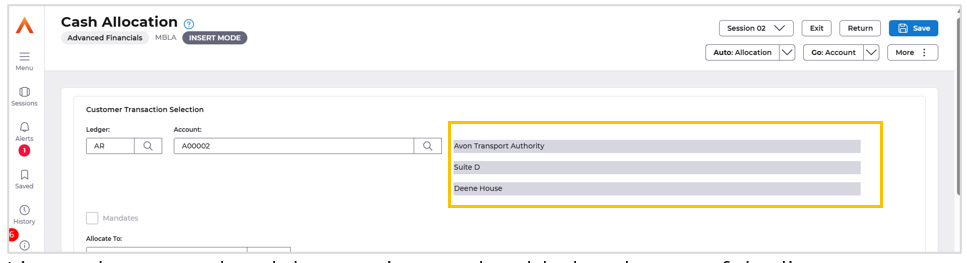
Address details added.
Lines tab removed and the running totals added to the top of the list page.
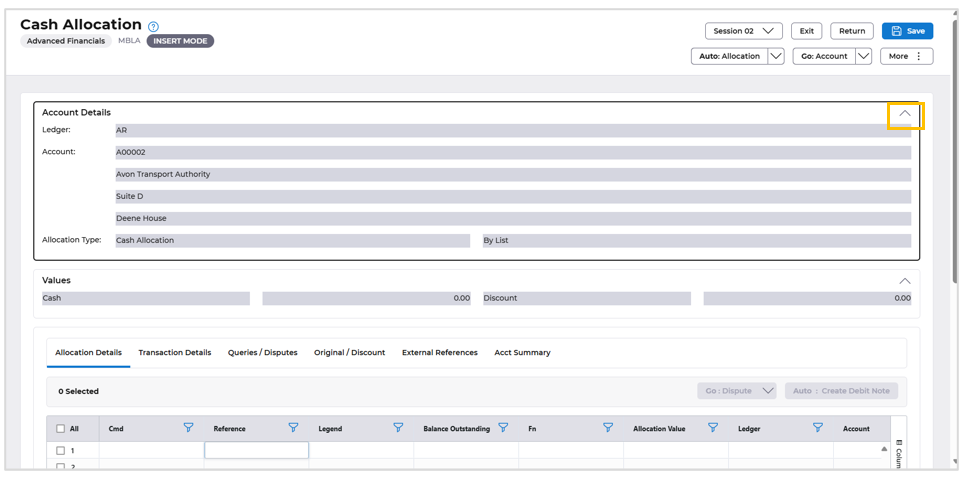
Using the up arrow will display the customer address details.
AFX Fixes
- EFIVE-40836 - Download issues resolved.
- Node version upgrade to 24.22.1.
- springboot-oauth version upgrade to 2026.10.1.
- Corrected invalid time field validation in AFX.
The changes which were rolled back as part of AFX October Release.
Procurement Portal Fixes
- GL Details on order line is not getting displayed fix
- Fossa and sonar fixes
- Node security version upgrade
