Contents
September 2026
 Updated
by Caroline Buckland
Updated
by Caroline Buckland
This article contains details of new and amended functionality included in the software update deployed on 14th September 2026. We've rolled out the following enhancements this month.
- Sales Invoices External References
- Cash Transactions Extended References
- Accounts Payable Data Entry new look and feel
- Non mandatory VAT codes on Suppliers only
- Menu Changes
- AFX Updates
- Fixes
External References for Sales Invoices
Details of the change
Enhancements to the Sales Invoices, Accounts Receivable data entry and enquiry screens now include additional fields with customisable labels, allowing customers to tailor the system to their specific needs.
Two new external reference fields are available, with descriptions configurable at the Transaction Legend code level. These fields can be designated as mandatory, providing flexibility and control over data entry.
The labels and mandatory flags are defined at the transaction legend level, enabling the assignment of distinct labels and rules to various transaction types (such as credit notes and invoices). This granular control allows for diverse transaction legends to be configured with unique labels and validation rules, supporting a range of business requirements.
They have been added to the following areas:
- All Accounts Receivable enquiries
- Sales Invoice Data Entry and list MODA/MODB
- Amendment MBJC
- Cash/Adjustment Data Entry MBHB
- The AR Detailed Data Entry edit screen MBIO
- Cash Allocation MBLA
Not included is the following:
- AR/SI history master file (although they have been added to the AR/SI history tables), nor will they be reported on the financial audit reports.
- The Query Management screens
- The PBI screens
- Standard Reports/Processes that display transactions have not been changed). The existing shorter transaction reference will still be available to be shown on these reports if a cash transaction is extracted and reported.
- Jasper
- Import QED not changed
- API
- ITK – the new fields can be added to existing formats if required
Setup
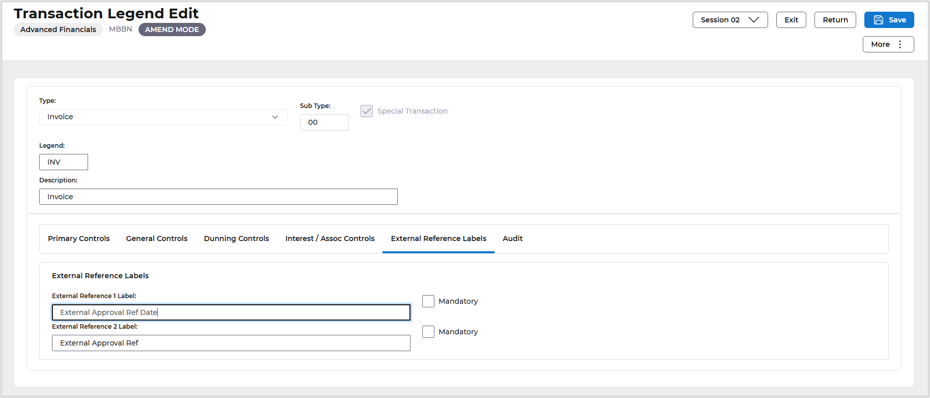
This firstly needs to be switched on at the Transaction Legend code level. Access the following menus:
Systems Admin>Modules Controls>Accounts Receivable Controls>AR Data Entry Controls>Transaction Legends
Locate the transaction Legend and use the amend action.
Access the External Reference Labels tab.
Enter a description of your choice, there is also a flag to select this is Mandatory when entering Sales Invoices.
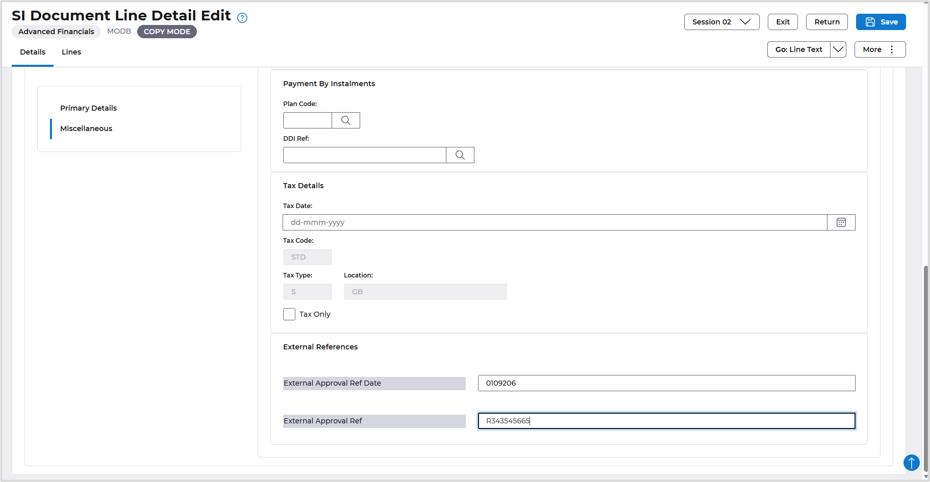
Example of Sales Invoice Data Entry: Access the Miscellaneous tab and the new labels and fields are displayed.
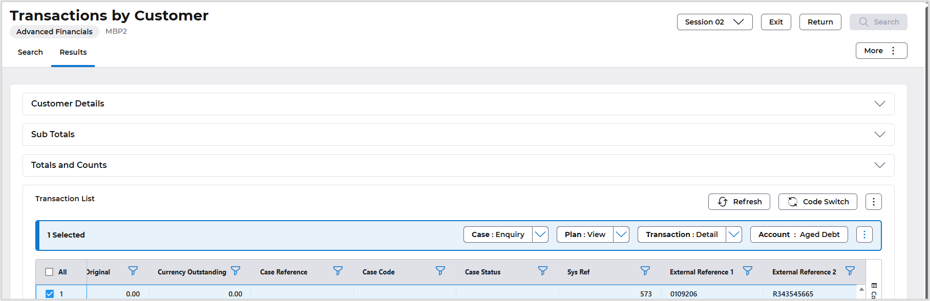
Enquiry screens will also display the new labels.
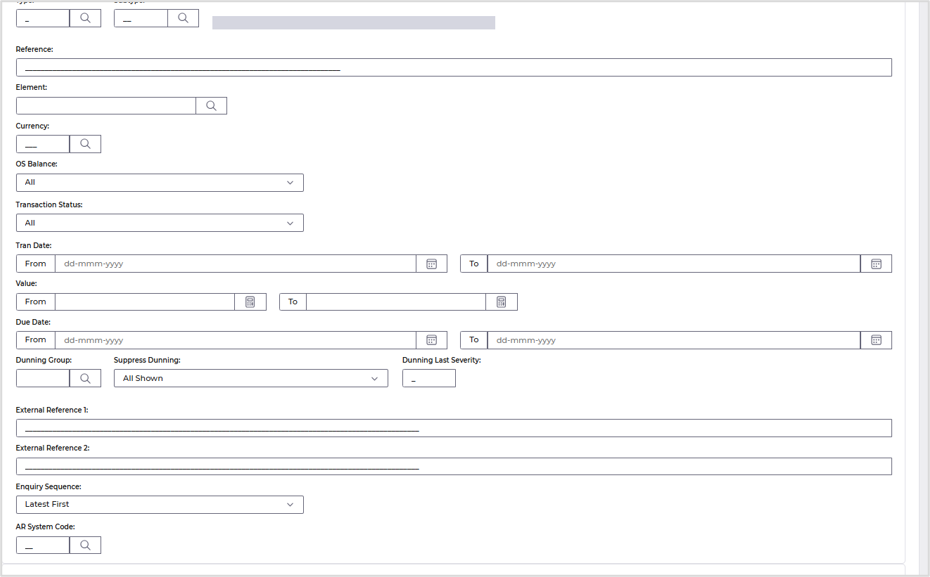
The External References are also available in the Selection Search fields.
Extended Cash References
Details of the change
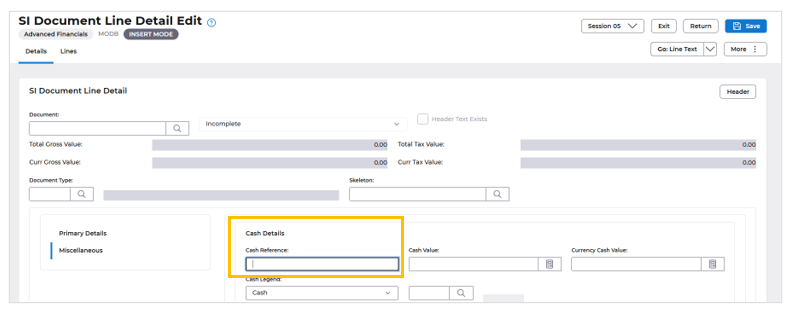
An enhancement has been implemented to expand the Cash reference field when entering Cash transactions, increasing the character limit from 16 to 80 characters. This update provides greater flexibility for users to record detailed references.
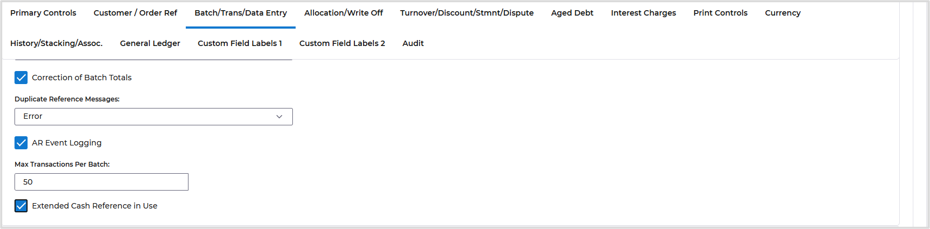
To enable this new functionality, a control flag has been introduced at the Accounts Receivable Company Controls level. This flag allows administrators to activate the extended Cash reference feature.
Furthermore, the enquiry screens have been updated to display the new extended Cash reference in place of the existing Cash transaction reference, ensuring a consistent and enhanced user experience.
Note, only cash transactions will have the ability to enter this extended reference, other types of transactions will not be able to enter this reference and will continue to use the existing transaction reference field.
The new field can be added to existing ITK’s.
Process
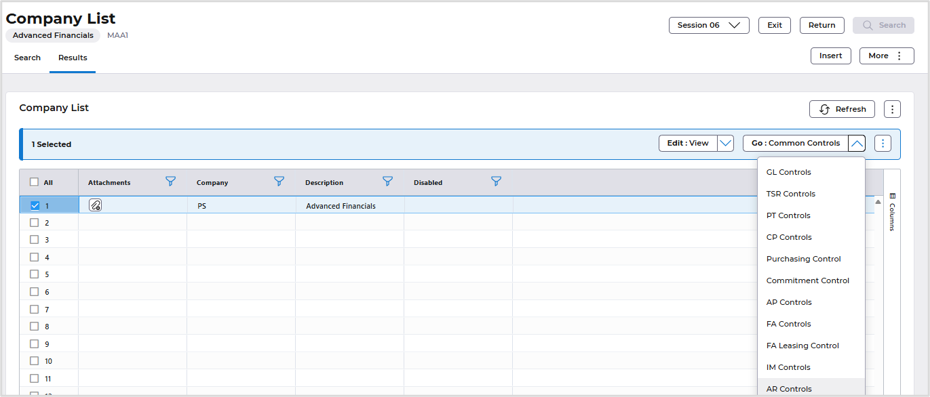
Apply the setting at Accounts Receivable Company Controls. Access the following menus:
Systems Admin>Combined Company Controls
Locate your company and select the Go>AR Controls
Use the Edit>Amend action and locate the Batch/Trans/Data Entry tab. Flag the Extended Cash Reference in Use field.
When entering cash from the AR Data Entry>Insert Cash Invoice option, the new 80-character reference is displayed on the Miscellaneous tab.
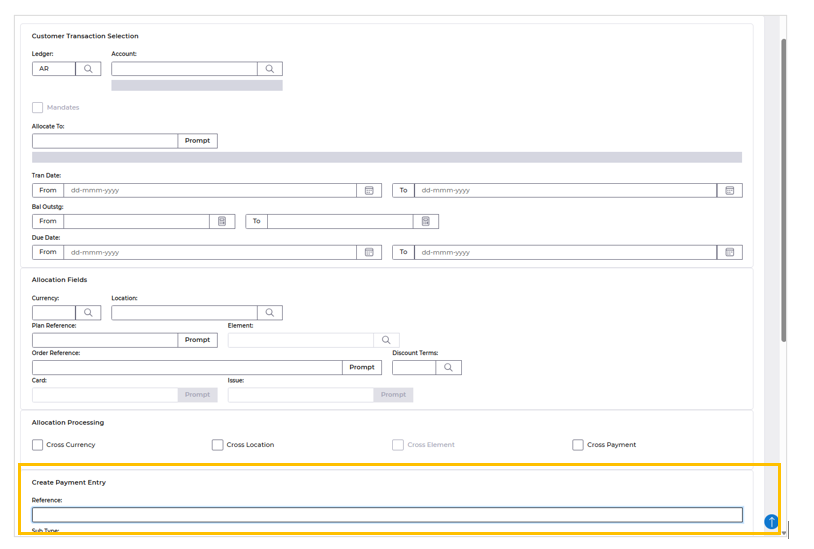
The extended field is also available on the Cash Allocation screen.
New look and Feel Accounts Payable Data Entry screen.
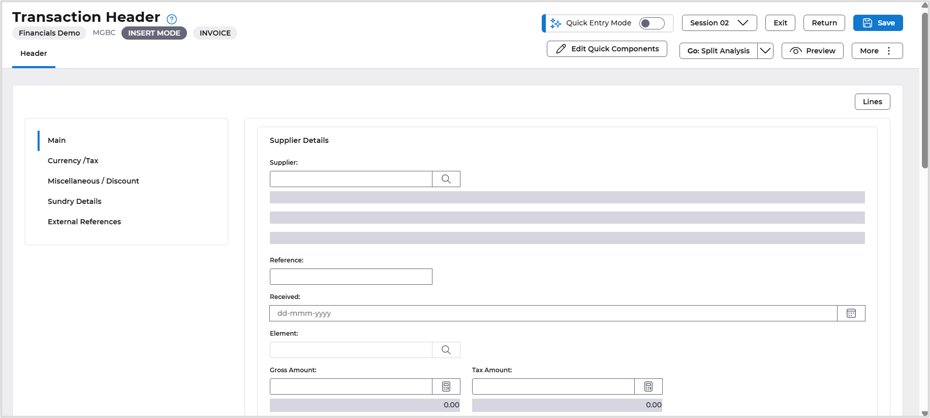
The user interface has been optimised with a condensed view, relocating buttons to the top right-hand corner for improved accessibility. Additionally, the formats have been repositioned to the top of the list, enhancing the overall layout and user experience
New format
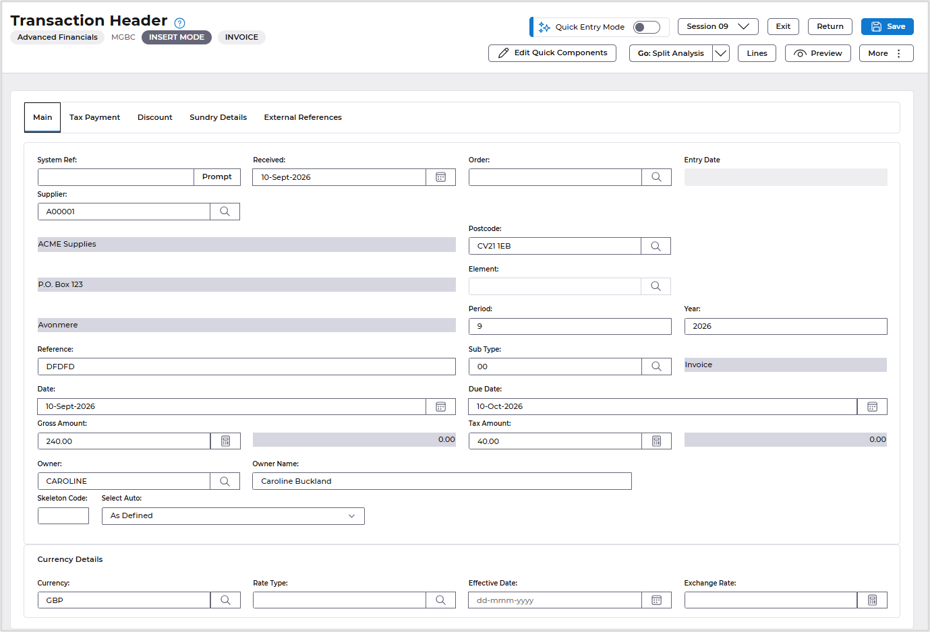
Current Format
Non mandatory VAT codes on Suppliers only
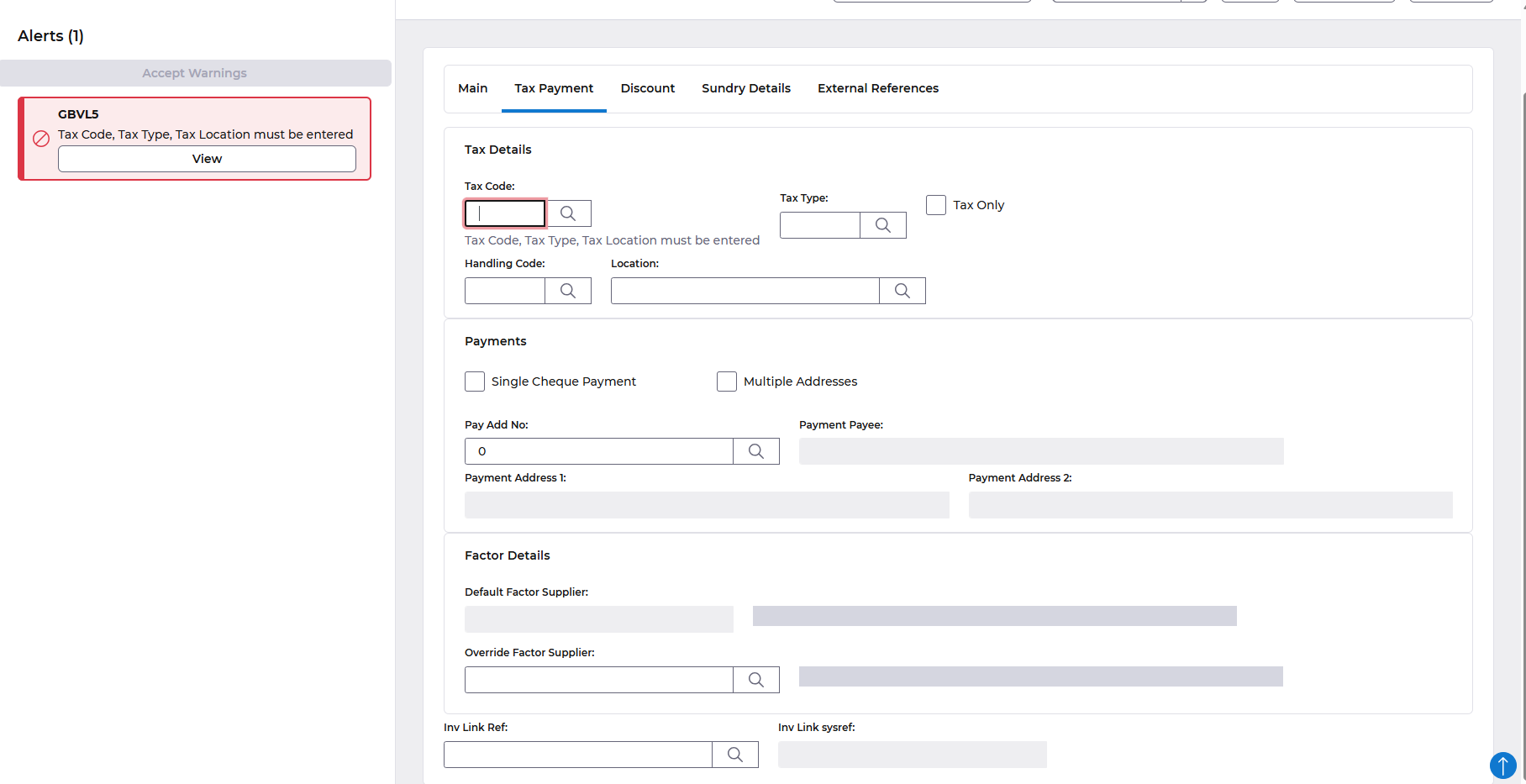
We've introduced an update to our Accounts Payable feature, providing greater control over VAT code entry during data entry. This new functionality allows you to configure a setting against a specific supplier, ensuring that users are prompted to manually enter a VAT code rather than the default code associated with that supplier.
To switch this feature on access the following menus:
Accounts Payable>AP Processes>Suppliers>Maintain Suppliers
Locate your supplier and use the Amend action.
Access the Purchasing tab.
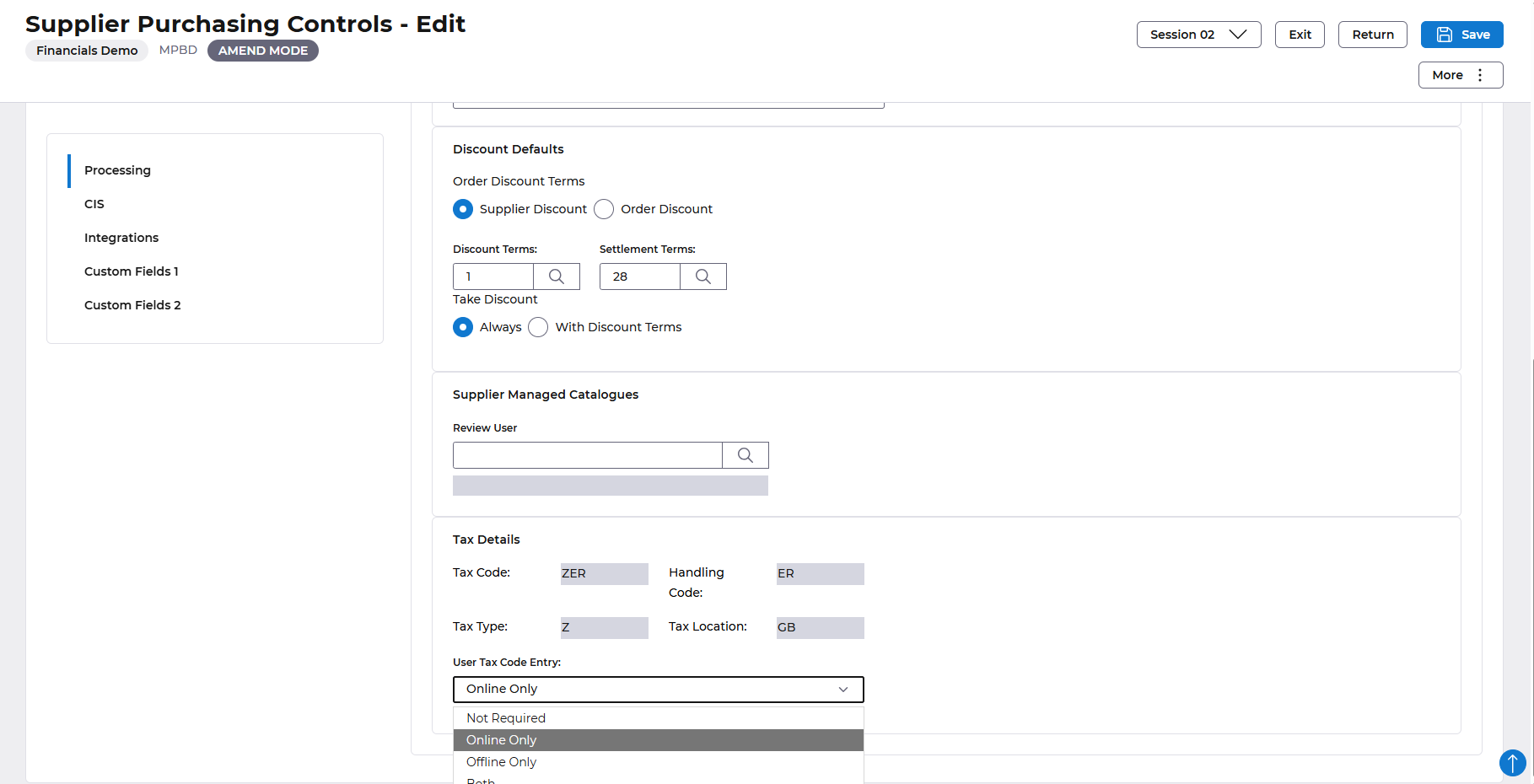
Select a setting from the User Tax Code Entry option.
- Not Required
- Online Only
- Offline Only
- Both
Save the Supplier, during data entry for that supplier, the user will be forced to enter a vat code if Online (or the Both option) is selected.
Menu Changes
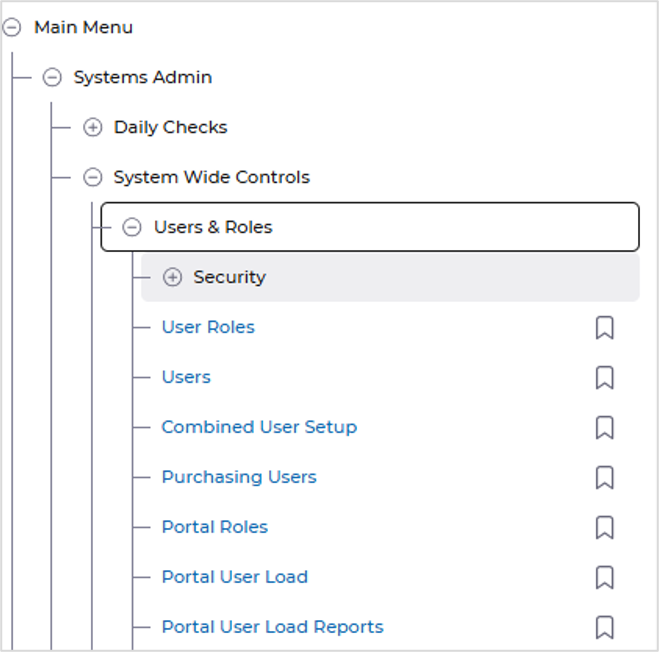
AST Portal User added to User and Roles menu.
AFX Updates
- Improved accessibility in the Supplier List by updating the tree view component so that aria-labelled by references a valid, unique label, ensuring proper support for assistive technologies.
- Enhanced the Supplier List – Purchasing drawer by ensuring the drawer show/hide toggle button exposes the appropriate accessible information and updates its state correctly for accessibility users.
- Improved accessibility in the Supplier List – Results data table by ensuring the icon-only button has a clear and accessible name through an appropriate visible or programmatically associated label.
- Enhanced accessibility of the Supplier Name – Edit Currency dialog by ensuring the dialog has a clear and descriptive accessible name that can be correctly identified by assistive technologies.
- Fixed an issue where MBLA Prompt buttons were not functioning correctly in the Transfer To dialog box, restoring the expected prompt functionality.
- Completed the AFX MGBC redesign, updating the screen to align with the latest application design and functionality requirements.
- Completed the AFX MGKH redesign, updating the screen to align with the latest application design and functionality requirements.
- Standardised dialog promptable fields to use Slim Select, providing a consistent and improved user experience across dialog boxes.
- Enhanced dialog box usability by ensuring that pressing Enter while focused on a field performs the dialog's primary action as expected.
- Improved AFX keyboard interaction by ensuring that pressing the Enter key when a button is selected triggers the action associated with that button.
Bug fixes in the Procurement Portal
- Enhancements in enquiries - order line search.
- Navigation fixes for Receipts back from Order summary via Breadcrumb does not redirect to proper list.
- Unable to delete PO line from draft stage when prefix numbering is enabled.
